























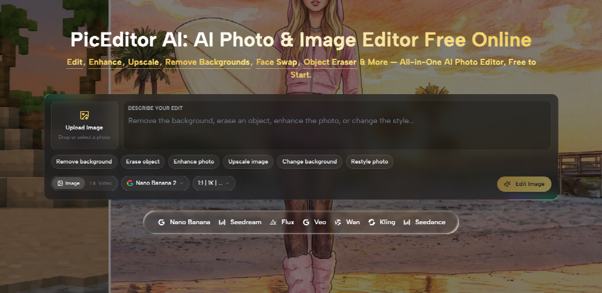
Match photos from behind the goal often reach the desk with the shot already made and a row of phones still bright in the stand. The shot is already there, but the frame still asks the reader to stare at a screen instead of the ball. PicEditor AI is the browser editor for that second pass. The source file is uploaded, the distraction is named in the prompt box, and Generate Image returns a version of the same moment with that object gone and the gap filled from the seats around it.
The pass fails when it does more than clear the clutter. A changed shirt number, a ball that slid, or a scoreboard digit that no longer matches the caption is drift, and that file is the wrong file. Check the source beside the new file for the number, the score, and the ball before the photo goes live. PicEditor AI is useful here only while that source stays in the folder. Replace it and the compare becomes a guess, so the rework includes the caption as well as the picture.
Why The Stand Still Shows In The Frame
A wide frame is how a match photo earns its place on the story. From behind the goal the keeper, the shot, and the wall of the stand can sit in one picture. The stand is also where phones go up. A bright rectangle at head height pulls the eye off the ball, and on a phone-sized module that rectangle can read larger than the shot. Painting those seats by hand spends the time the story still has, and the screen often survives as a smear in the row.
Clear the phones, and leave the play. The file goes wrong when that cleanup also tidies a face, a number, or the board. Readers know the shirts. They will notice a digit that was not on the back when the photographer fired, and the picture becomes the correction the story has to run.
Phones Raised Behind The Goal Line
A phone in the stand is a named object, and a named object is what this pass is built to take out. The object eraser removes people, text, clutter, logos, wires, trash, and other distractions once they are described. It does not ask the desk to trace an outline or paint a mask along every seat. The prompt box takes a plain instruction, and a specific line is easier to aim than a vague request to clean the picture up. Remove the phones raised in the stand behind the goal, and leave the players, the ball, and the scoreboard.
A request to make the stand look better is how a face gets smoothed and a seat pattern starts to repeat. Behind the goal is a place, and the phones are the object. After Generate Image, the fill is meant to come from nearby texture, lighting direction, shadows, perspective, and depth, so the seats continue instead of leaving a blurry hole. If the seats repeat like a stamp, or a phone-shaped blur remains, reject the file and send the source through again.
Sideline Clutter Sits On A Different Line
Phones in the stand and clutter on the touchline should not share one sentence. A phone sits in the crowd, away from the ball. A water bottle, a spare ball, a cone, or a cable sits on the line the play uses, where a boot can overlap the bottle and the match ball can rest a step from the spare. One prompt with two targets moves the risk onto the action the caption describes. Finish the stand, then name the touchline, or run only the touchline when the stand was already clean.
Bottles Cables And Spare Balls On The Touchline
Cables and wires are among the things the eraser is built to remove, and a bottle on the grass is the same kind of clutter as trash left in a frame. Name the side in the prompt. A bare request to remove the bottle can catch the wrong one, including a bottle a staff member is still holding at the far edge. Remove the water bottles and the cable on the near touchline, and keep the players and the ball. The request has to say which cable, the same way it has to point at the trash can on the right rather than a can somewhere in the picture.
Keep this pass off the players. A cone beside the board can go if the caption never used it. A cone under a player’s foot should stay, because removing it builds a step the photographer did not shoot. If the object touches a boot or the match ball, leave it. A pass that rebuilds a boot is a different action, and the report cannot defend a contact that was never in the source.
What The Second Pass Is Allowed To Touch
Write the keep list before anyone uploads. Anything the caption names has to survive the pass. Anything the caption never mentioned, and that sits off the play, can be named for removal. The table is the reject rule for the file that comes back.
| Object in the frame | Second pass | Why it is on the list |
| Phone raised in the stand | Remove | The caption is about the shot, not a screen |
| Bottle, cable, or spare ball off the play | Remove | Sideline clutter the report did not use |
| Shirt number on the named player | Keep | Readers will check that digit |
| Scoreboard, if the caption cites it | Keep | A changed digit is a changed report |
| Match ball and the boot on it | Keep | That contact is the action |
Read Also: Carabao Cup: Arsenal Set Unwanted Record In Shock Defeat To 4th Division Side Fleetwood Town
If the new file moves any keep row, discard it and upload the source again with a tighter sentence. Do not stack another instruction on the failed file. The source still has the number. The rework is a new pass, and it should stay short, because the match story is still waiting on a picture of the same action.
Upload The Source And Name One Object
PicEditor AI takes the source as an upload. Drag the file in, or click to select it from the folder. A clear source gives the eraser more of the scene to read, so the desk should send the original frame and not a crop that somebody already tightened and forgot to label. In the prompt box, write the one removal, then click Generate Image. The edited photo comes back with the named distraction gone and the background rebuilt around that spot, while the original style, lighting, background texture, and composition are what the removal is meant to hold.

The AI Photo Editor request stays that plain: one object, one place, and one thing that must stay. The same editor also carries Seedream as the fast-processing option when another modification is needed quickly, and quick iteration is what that option is for. This cleanup still belongs on the object eraser, because the job is a named removal rather than a new scene. A quicker file with a wrong number is a file the queue has to reject, and the story is back at the source.
- Upload the labeled source, not an unlabeled crop from an earlier tighten.
- Name one removal and the place: the stand behind the goal, or the near touchline.
- Click Generate Image, then save the result under a new file name.
- Compare the shirt number, the scoreboard, and the ball with the source before judging whether the stand looks calmer.
That list is the method for a match module. If the number moved, the pass is finished and the file is out. If the number held and the phones are gone, the file can go to the story. PicEditor AI is where the upload and the prompt happen. The picture desk is where the compare happens, with both files still open.
Shirt Numbers Stay After The Stand Is Clear
Run the compare before the module is placed. Put the source and the new file on the same screen and read the shirt the story names, digit by digit, then the scoreboard if the lede uses the score, then the ball against the boot. A calmer stand does not rescue a file that failed any of those readings. The identity of the play comes first and the clutter second. The caption cannot carry a tidy picture of a different moment.
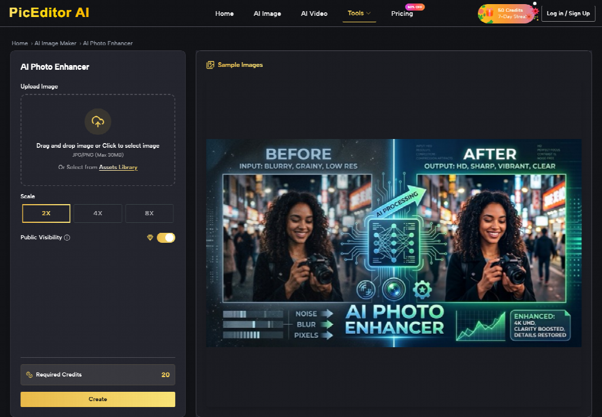
The removal works best when the named object is visible and the background around it has enough detail to rebuild. A phone over a face in the crowd can still be named, because the seats beside it give the fill something to follow. A phone over the shirt number cannot be asked to reveal a digit that was never in the frame, because the fill comes from nearby texture, not from a team sheet. Crop so the number is already visible in the source, or leave the frame. A generated digit is a reporting error even when the seats look continuous.
Save The New File Beside The Source
The source keeps a name that marks it as the source, and the new file carries the pass in its name, stand or touchline. Replacing the source removes the only picture a later editor can trust. Someone filing the gallery the next morning has to open both. If only the clean file remains, the desk cannot know whether the number was always that shape.
Hold the source until the story is corrected for the last time. When the two files disagree, the source wins and the module waits. That wait is shorter than a correction about a score that was never on the board. Losing the source means a reshoot the match will not give, because the moment has already ended.
Put The Cleaner Frame On The Match Story
Put the cleaner frame on the story when the phones or the touchline clutter are gone and the play is still the play. The pass is a named removal, a rebuilt patch of stand or grass, and a compare a colleague can repeat from the two files. PicEditor AI is where that upload happens. Images edited there carry full commercial usage rights, which is what a desk needs once the frame runs with the report. Those rights do not replace the compare. A publishable file can still be the wrong picture of the match.
Keep the source until the last correction on the story. If the cleaner frame and the source disagree about a number, a score, or the ball, publish from the source and hold the module. A match photo that survives those three readings can go live. A match photo that only looks tidier goes back in the folder.